
 Connect with Google
 Connect with Facebook
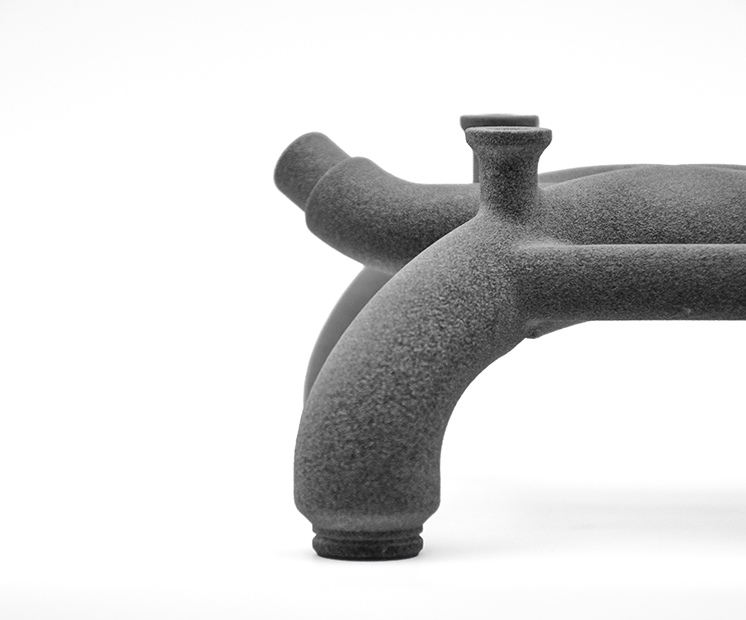
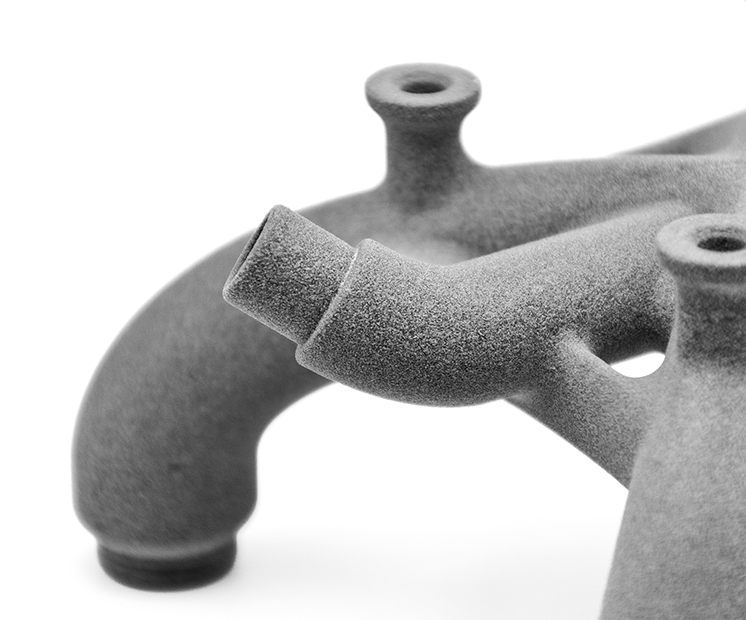
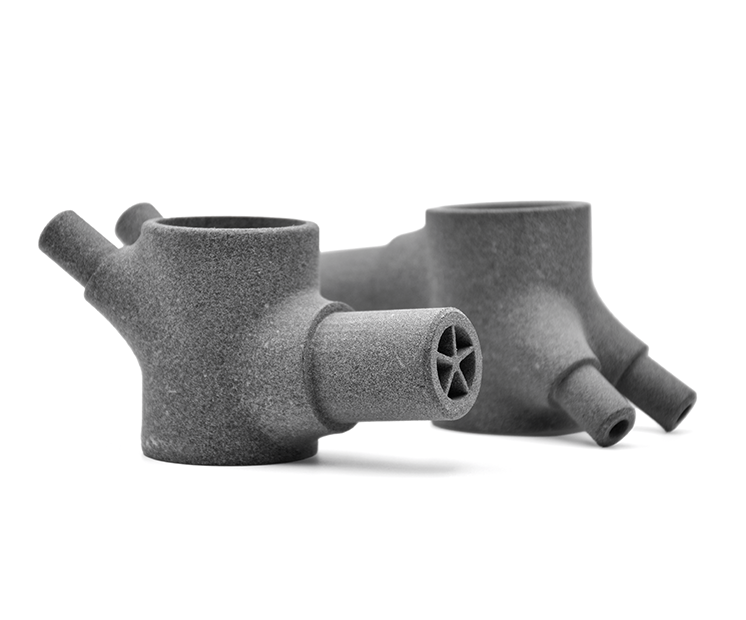
| Standard layer thickness | 80µm
| ||||||||||||||||||||||||||||||||||||||
| Accuracy | Standard NFT 58000 Normal class (category 3)
|

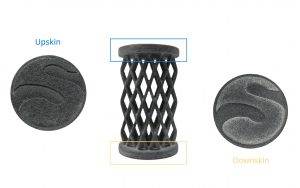
Due to the printing process, your objects will have upskin and downskin. Upskin is a little concave, whereas downskin will show slight convex. Upskin will appear on the top of your object, downskin at the bottom. This is important to consider when you set the orientation of your 3D model. If the upskin and downskin will affect your design, set the orientation beforehand and we will do our best to honor it, otherwise our technicians will choose the best one.
| Maximum size | 370 x 274 x 380 mm |
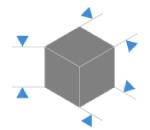
The maximum size of your models are limited by the physical size of our 3D printers – if you would like to print something bigger than this, feel free to contact us for some tips on how to cut / assemble parts.
There is no minimum size for polyamide prints, keeping in mind minimum thickness for walls and structural aspects, to ensure the object will not break is 0.8 mm.
| Minimum wall thickness (flexible) | 0.8mm
|
| Maximum wall thickness* | 9 mm*
|
| Minimum wall thickness(rigid) | 2mm
|
| Minimum wall thickness stemmed elements | 0.7mm with support
|
| Minimum wall thickness particular design aspects | 1-2mm |


* We do not recommend wall thickness above 9mm as thicker walls can create manufacturing issues, such as deformation, surface aspect issues – Hollowing your parts should solve this issue. Feel free to contact us if you need help to proceed with making your part hollow.
The walls of your design must adhere to a minimum thickness of 0.8 mm in order to guarantee the structure will not break. If the walls of your model are less than 0.8 mm, you can add a support structure to maintain stability.
A stemmed element is a design aspect which is at least twice as long as it is thick. For unsupported and stemmed elements or parts of the design with a particular design constraint, it is also important to respect a minimum thickness of 0.9mm in order to guarantee the object will not break.
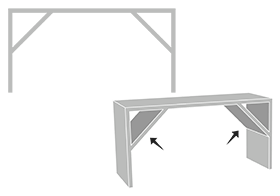
Add a support structure to maintain stability. For example, if you are modeling a bust of a person, you can attach thin aspects of the design like the ears in more places around the model’s head. Doing that will avoid cantilevered and easily breakable elements in the final print.
With a 0.8 wall thickness, your design will be slightly flexible. To obtain more rigidity, we advise a 2mm wall thickness.
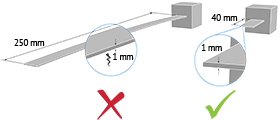
Thin walls supporting large, heavy models can warp under the weight of itself.
Sculpteo offers an online solidity check tool which highlights parts of the print that may be too thin for a print. From there you are able to tweak your design in order to create an object that is an appropriate thickness. To use it, you just need to upload your 3D file, select your material and click on “Verification” tab.
It is also important to keep in mind that the object is to be printed into real life. Thus if a thin aspect is supporting something that is too heavy for it, it may break – even though it is possible within the physics provided by your 3D modeling software. We recommend adding a bit of thickness to the places that will get a lot of handling, or that support the most weight.
Do not forget
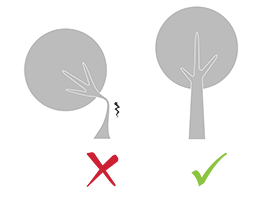
Keep in mind that our solidity check tool does not detect physical aberrations such as floating parts, unstable position, parts supporting too much weight relative to their thickness, etc. Particular care must be given to the geometry of your design and the most stressed parts must be thickened.
| Minimum size of details | 0.2 mm |
| Minimum height and width details | Embossed : 0.4 mm
|
| Minimum height and width for a readable text | 0.4mm |
| Enlargement ratio | 1/1
|
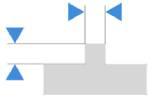
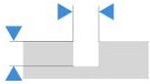
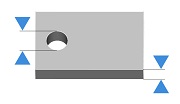
A detail’s minimum precision is mainly determined by the resolution of our 3D printers. However, during the cleaning process, a fine layer of detail can also be lost. In order for a detail and text to be visible we recommend following our recommended sizes at the very least.
It’s possible that particularly fine embossings and engravings will not be visible, as the carving could get filled with excess powder that is later unable to be cleaned out. If an embossing or engraving is an essential part of your design we recommend making them as deep as possible. To ensure a better powder removal (thus a better detail visibility), the width of your details must be at least as big as depth.
| Enclosed parts ? | Yes |
| Interlocking parts ? | Yes |
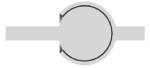
Our Multi Jet Fusion material has the ability to print the most complex designs of our materials thanks to HP technology. An example of a complex design is a volume enclosed within another volume, like a chain or maraca. Our printers have the ability to print a fully interlocked chain, with no support structures to remove.
| Minimum spacing between fixed walls | 0.5 mm |
| Minimum clearance between parts | 0.5 mm |

For a successful 3D print a minimum clearance between objects is required to allow excess material to be sand blown out. If this space is not left within the design, the object will be a solid. This is particularly important for articulated objects – as the space left between the walls will define the object’s ability to move.
Clearance should be at least 0.5 mm, however that is the minumum for small objects. Larger objects require more space between their parts. This is due to the HP printing process. Our printer beds are heated during the process, and larger objects are heated for longer periods. A small space between large objects runs the risk of melting together as it remains under heat for a long period of time. In some other cases, holes should be added to allow us to drain for the excess powder material within the clearance.
| Assembly ? | Yes |
| Minimum space | 0.5 mm |
Objects printed in polyamide can be printed to be assembled. As long as a width of at least 0.5 mm is left between the different parts of the object.
| Hollowing ? | Yes |
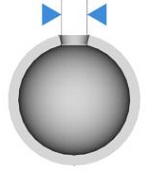
Our online hollowing optimization tool has the ability to greatly reduce the price of a print by reducing the amount of material used.
Using the tool requires adding two holes to your model, which will serve as the drain for the excess powder material within the object. The minimum size of these holes is determined by our website. Otherwise it is possible to hollow your object manually in your 3D modeling software.
| Files with Multiple Objects ? | No |
It is not possible to 3D print a 3D file containing several objects with our 3D plastic printers.