
Login
If you have any trouble logging in to your account, contact us.
Sign Up
To start 3D printing or Laser Cutting, you'll need to create an account here. Once done, you'll be able to upload your files and get live quotes of yours parts
Already have an account? Log In
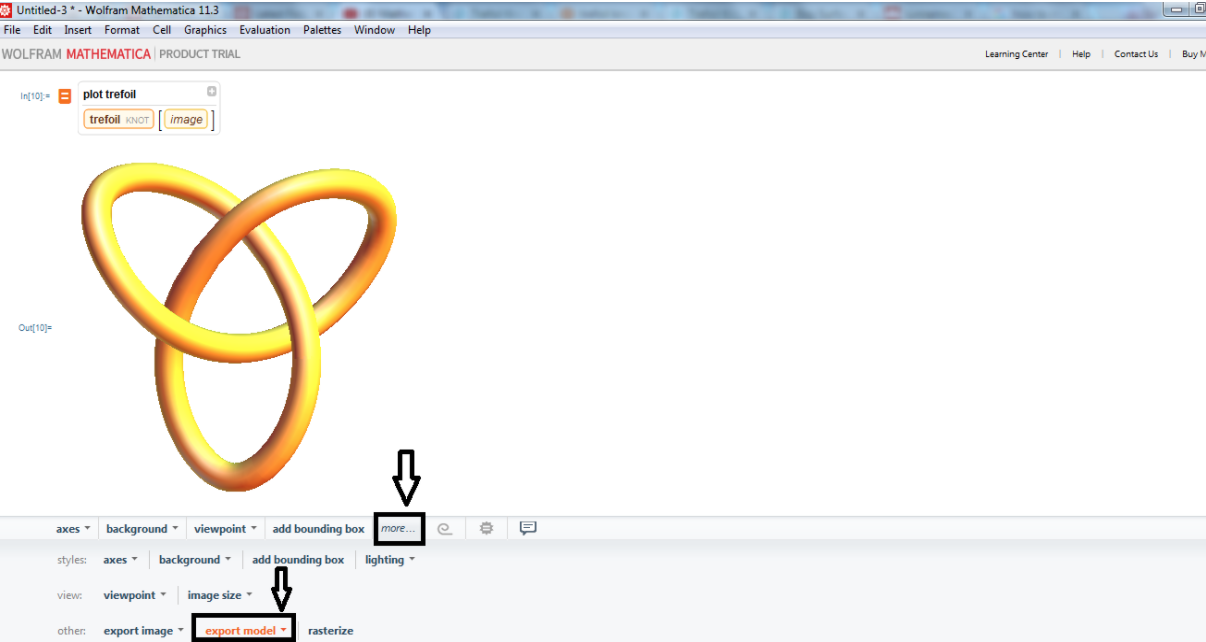
To export your 3D file for 3D printing, go to the Output of the 3D model > More > Export model.

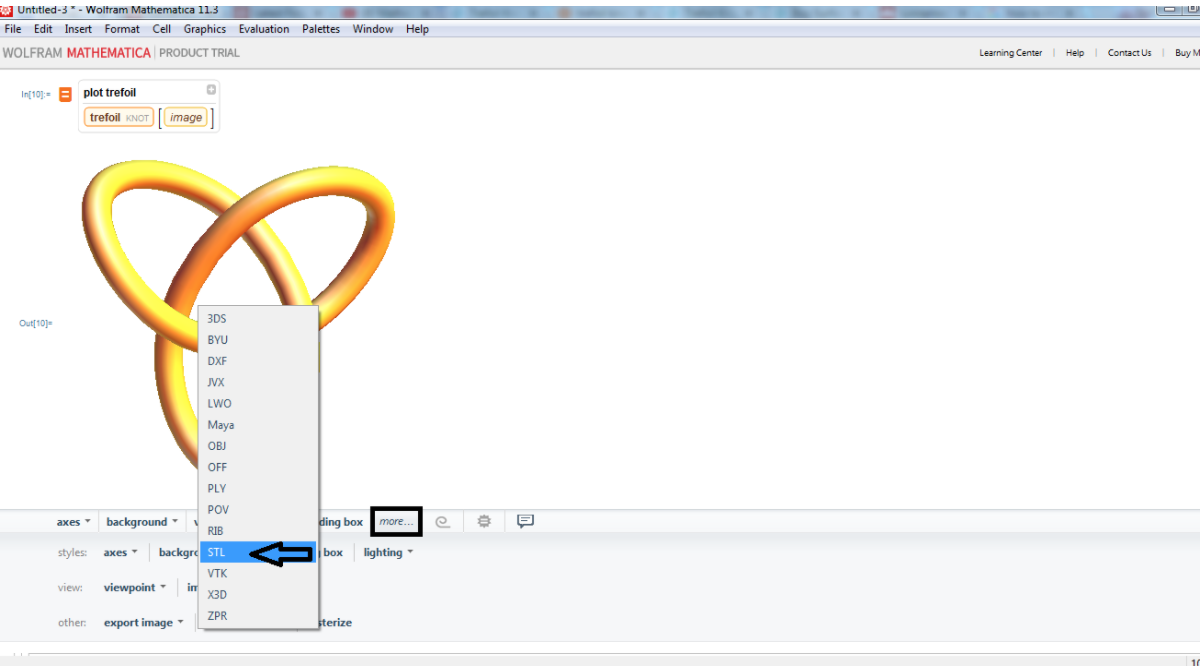
Right click and you will see a list of available formats you can choose to export your 3D model. Select to save your file in .STL format, as it is the best option for 3D printing.

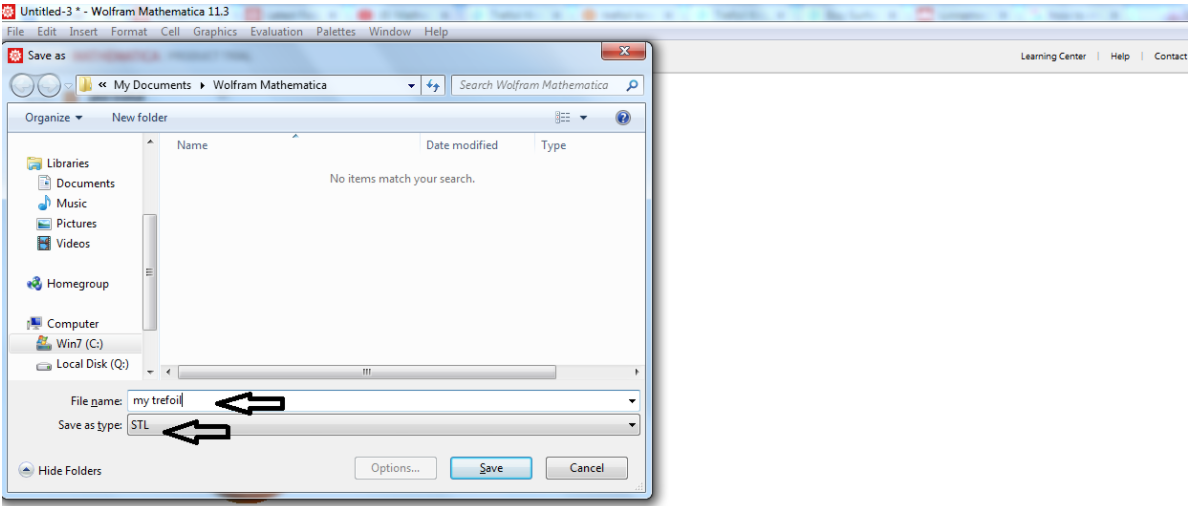
Give a name to your file and save it on your computer.

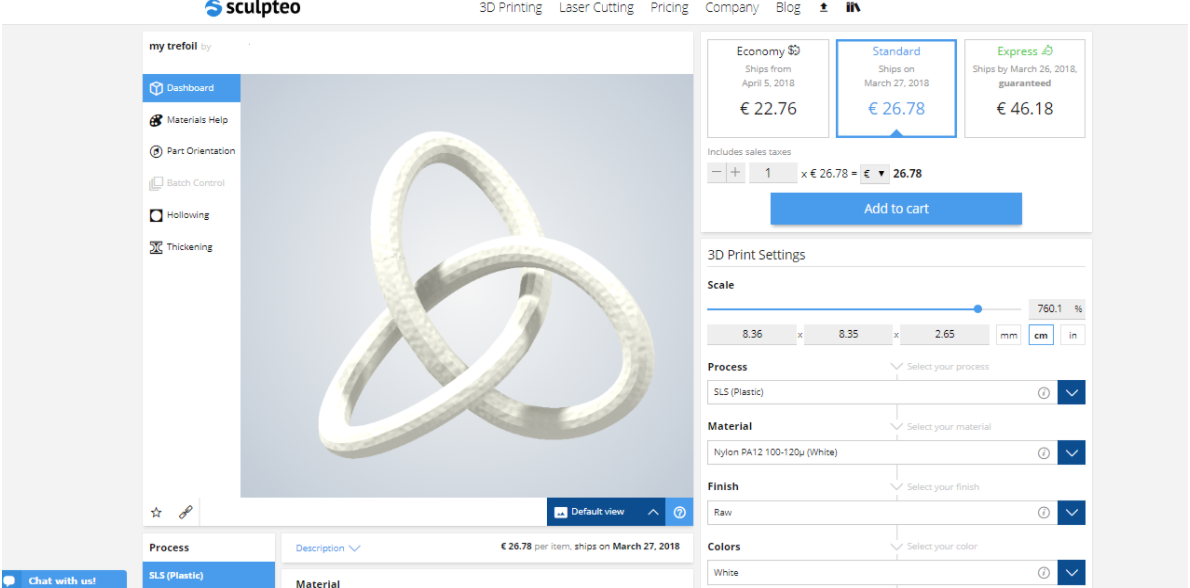
The file is saved in .STL format and now you can upload it on our online 3D printing serviceand we will 3D print it for you!
As a matter of fact, once you upload it, it will look like this:

Connect with Google
Connect with Facebook